Download

EML to Gmail Converter Application

Total Ratings:385- Average Rating:4.6 out of 5
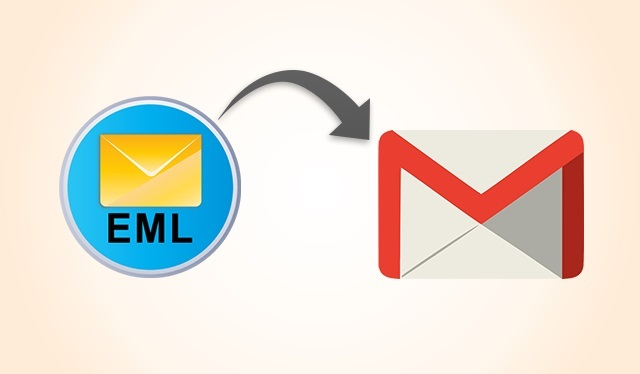
Import EML files to Gmail account in bulk with EML to Gmail Importer
  • Convert EML to Gmail without taking help of other apps
  • Export required EML files to the users’ specified Gmail account
  • Convert more than one EML files at a time
  • Capable of exporting EML files of any size
  • Restore all EML files in a healthy State
  • Support Thunderbird,Entourage,WLM and several other email clients
OST to PST Converter

EML to Gmail Exporter

The EML to Gmail Exporter is an advanced app that enables users to transfer EML data to cloud to make them accessible on any devices including laptops,mobile phones,and tablets. All your important messages will be in your pockets. The tool maintains folder hierarchy.

The EML to Gmail Conversion app is a standalone app that works uninterruptedly regardless of how big an EML file. The conversion app offers batch migration of the data. The data is exported to the specified Gmail account.

The straightforward app doesn’t need technical competency. After using the app for once or maximum of twice,you can feel confident to try it independently. It is a user friendly application.


Outstanding Key Features of EML to Gmail Converter

Gmail is a server-based email client that is widely used to send and receive emails. Since it is cloud platform,it can open to any device and laptops with the internet connection. Carrying important emails become handy in Gmail. Looking at these advantages,the EML to Gmail Conversion app has launched. It makes EML to Gmail migration easy,fast,and accurate.

Convert EML to Gmail Flawlessly

The conversion program enables users to convert EML to Gmail without any interruption. All EML files can be exported safely by the app. It exports both big and small size of EML files with all email properties.

Convert Data in Batch

The sophisticated application supports batch migration feature. It permits users to export either one or more than EML file at a time. Conversion accuracy is retained in any situation.

Export EML Files in a Healthy State

It is a reliable application to be used for individual and commercial purpose. The tool has evaluated for accuracy on several parameters. It exports all components of emails such as CC,BCC,To,and From.

Designed for All Types of Users

The sophisticated application is well suitable for all types of users. Whether the business is big or small,the tool can suit your needs. If you want to use the app for an individual purpose,the individual version of the application is also available. It caters your needs. The tool has already been launched in two major formats. Available Versions-,Individual,Business

It is an advanced conversion app that follows your command for conversion. It converts selected EML files to the required Gmail account for which users have to provide the correct credentials. In case,the tool doesn’t connect with the account,enable IMAP from Gmail setting. The tool makes conversion process less complicated. User Account Details-,Username,Password

Salient Key Features of EML to Gmail Converter

Retain Original Structure

The EML to Gmail conversion solution is capable of exporting all field of emails including To,CC,BCC,From,hyperlinks,email content,and attachments. It exports attachments saved in image,doc,Excel or any format.

Convert Specific EML Files

Users get full control on conversion results because the software exports specific EML files to Gmail. Its browse button allows users to manually locate specific EML files to upload in the software for migration.

Advanced File Filtration

The utility has two different ways to filter EML files. The File Mode permits users to pick a specific EML file to upload in the software,while the Folder Mode permits to select a folder holding multiple EML files.

Save Conversion to New or Existing Folder

For users’ convenience to manage data smartly,the tool supports two ways to save resultant data in the Gmail account. It can save to an existing folder or a new folder can be created to save data.

User’s Authentication Required

The utility connects with the particular Gmail account for which it needs correct user’s credentials. Provide the software with the right username and password to authenticate your account to connect it for data conversion.

Easy & Interactive GUI

The application has easy and interactive GUI. It doesn’t need technical skills for configuration and installation. No special technical guidance it needs to transfer data. The tool is straightforward for conversion.

Software Specification

Software Information

SOFTWARE NAME:EML to Gmail
VERSION:2.0
FILE SIZE:19.3 MB (Approximate)
OPERATING SYSTEM:Windows 11,10,8.1,8,7 & Other

Compatibility & Format

OUTPUT FORMATS:Gmail Account
OPERATIONS:Convert,Preview,Export,Save
LICENSE:SHAREWARE
LANGUAGE:English
TRIAL LIMITATIONS:Preview and Export 25 items

System Requirements

PROCESSOR:Any Pentium Class
RAM:512 MB Minimum
HARD DISK:100 MB free space
SOFTWARE DELIVERY:Electronic - Via Email (15 Minutes)
SUPPORT OPTION:Emails,Chat & Skype

FAQs on EML to Gmail Converter

  • Download and launch the app on your system
  • Choose the EML file by clicking on the browse tab
  • Provide the correct Gmail credentials to connect
  • Select the folder in which you want to save data
  • Finally press the Process button

No,it is a standalone application. It doesn’t demand installation of any third application to transfer data.

No,it has designed for migration from EML to Gmail. It doesn’t support recovery of Gmail password.

There is not limitation to use the app. It depends on your wish to use it as long as you desire.

It is capable of converting healthy EML files to Gmail. It doesn’t support corrupted or damaged EML files.

Our Prestigious Clients

Capegemini
Dell
Disnep
Hitachi
Oracle
Panasonic
Standford
Vodafone
Capegemini
Dell
Disnep
Hitachi
Oracle
Panasonic
Standford
Vodafone

Testimonials

It is a super cool conversion app for users who are looking for safe and sound conversion without getting into technical difficulties. I have managed to transfer over 1000 EML files. All are safely restored.

JL
John Lennert,Greenland

I always prefer to stay connected with my important clients. The tool has made it possible easily. Even I am not carrying my laptop my important messages are with me.

NH
Nils Halvorsen,Norway

A great app for offices. Many of my clients are not using any email clients. For them,we like to send data through Gmail. The tool is saving our time.

VG
Végh Gabor,Hungary